

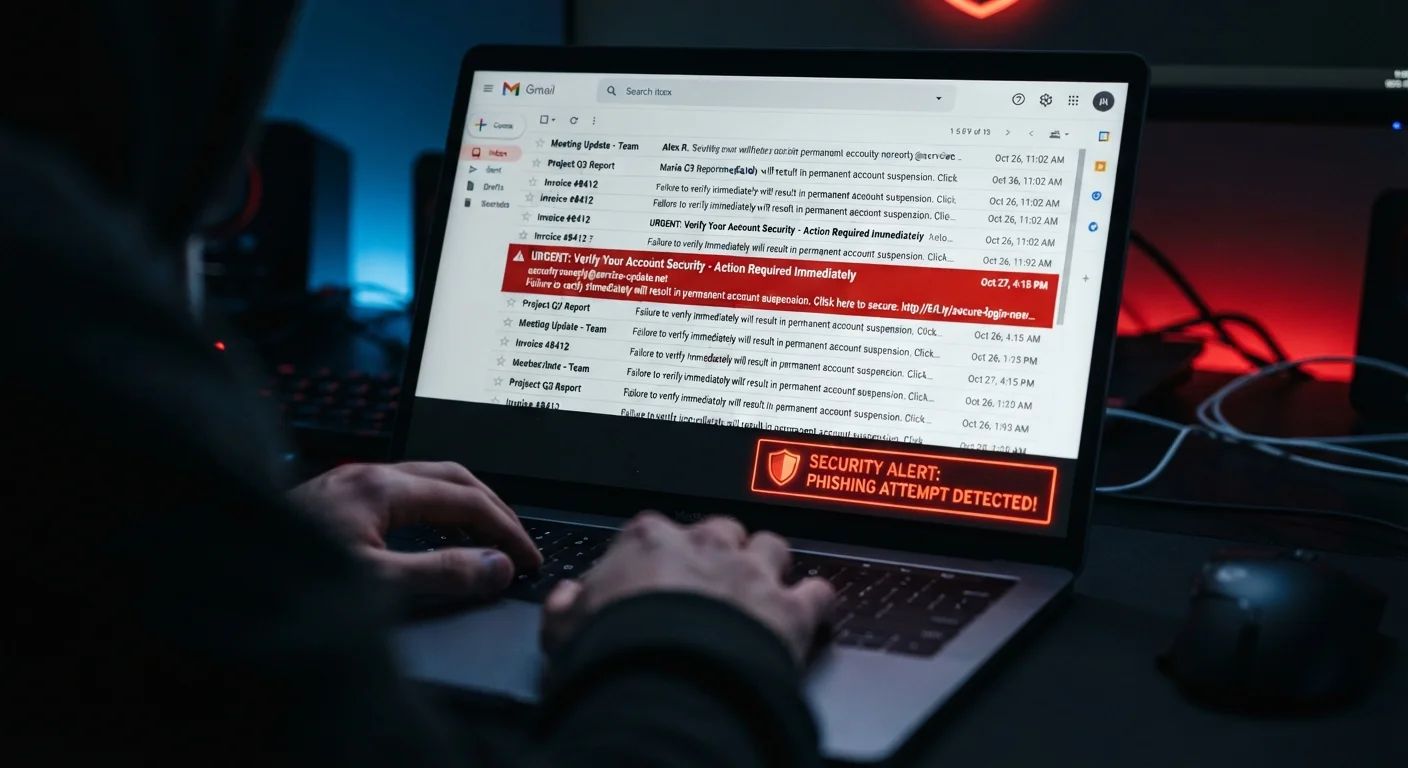
Key Takeaways
- Phishing emails often use spoofed sender addresses that look real but contain subtle domain alterations.
- Legitimate organizations rarely demand immediate action or threaten account suspension via email.
- Hover over links before clicking — the destination URL often reveals a mismatch with the claimed sender.
- Grammar errors and generic greetings are common in phishing attempts but not universal red flags.
- When in doubt, contact the organization directly through its official website, not via the email's links.
Option A
Phishing Emails
The deceptive impersonator engineered to steal your data.
Best for: Understanding phishing helps you recognize manipulation tactics designed to trick you into revealing passwords, financial details, or personal information.
Option B
Legitimate Messages
Authentic communications from verifiable, trusted sources.
Best for: Recognizing the markers of genuine messages lets you engage confidently with real banks, services, and organizations without fear.
If you receive an urgent email asking you to verify account credentials
Treat it as a Phishing Email
Urgency and credential requests are hallmark phishing tactics. Go directly to the official website to check your account status instead.
If an email arrives from a domain that exactly matches a company's known website
Likely a Legitimate Message
Exact domain matches — verified by hovering over sender details — are a strong indicator of authenticity, though not foolproof on their own.
If the email contains an unexpected attachment you did not request
Treat it as a Phishing Email
Unsolicited attachments are one of the most common vectors for malware delivery and should be treated with extreme caution.
If you're unsure whether a message from your bank is real
Treat it as a Phishing Email
Call your bank using the number on your card or their official website. Never use contact details provided in the suspicious email itself.
Why Phishing Emails Are Harder to Spot Than Ever
Phishing — the practice of sending fraudulent messages designed to trick recipients into revealing sensitive information — has grown significantly more sophisticated. Early phishing attempts were relatively easy to identify: broken English, mismatched logos, and implausible scenarios. Today, attackers replicate the exact formatting, tone, and visual design of communications from banks, government agencies, streaming services, and major retailers.
According to the FBI's Internet Crime Complaint Center, phishing consistently ranks among the most reported types of cybercrime in the United States. The volume and quality of these attacks means that anyone with an email address is a potential target, regardless of technical experience. Understanding what separates a fraudulent message from a genuine one is a practical skill, not just an IT concern.
The challenge is compounded by the fact that both phishing emails and legitimate messages often use the same communication channels — and sometimes even the same design templates. The difference lies in a set of verifiable signals that, once you know what to look for, become difficult to fake convincingly.
| Criterion | Phishing Email | Legitimate Message |
|---|---|---|
| Sender domain | Slightly altered or unrelated domain | Exact official domain of the organization |
| Greeting | Generic ("Dear Customer") | Usually your name or account ID |
| Tone | Urgent, threatening, or alarming | Measured and informational |
| Links | Destination mismatches displayed text | Links resolve to official domain |
| Credential requests | Asks for passwords or full card numbers | Directs you to log in via official site |
| Attachments | Unsolicited, often executable or macro-enabled | Expected and clearly described |
| Verification path | Provides only in-email links or numbers | Can be confirmed through official channels |
The Key Signals That Separate Real from Fake
The sender's address is one of the first things to examine. Legitimate organizations send email from domains they own — a bank will use its actual domain, not a variation like bankname-secure.com or bankname.support-portal.net. Attackers rely on the fact that most people glance at the display name rather than the actual email address. Always expand the sender field and read the full domain carefully.
Link destinations are equally telling. Before clicking any link in an email, hover your cursor over it — without clicking — to preview the destination URL in your browser's status bar or tooltip. A phishing email promoting a login page may display yourbank.com as the link text while the actual URL points somewhere else entirely. This mismatch is one of the clearest tells available.
Tone and urgency are deliberate design choices. Phishing messages frequently invoke time pressure: your account will be suspended in 24 hours, your package is on hold, your tax refund requires immediate confirmation. Legitimate organizations do communicate deadlines, but they rarely threaten immediate and irreversible consequences via email without prior notice. When a message triggers a stress response, that reaction is often the goal — slow down rather than act fast.
Spear Phishing: When Personalization Is the Weapon
Unlike broad phishing campaigns sent to millions of addresses, spear phishing targets specific individuals using personal details — your name, job title, recent purchases, or colleagues' names. These details are often sourced from data breaches or publicly available social media profiles. Receiving an email that appears to know who you are does not make it safe. Always verify through an independent channel if something feels off, even when a message seems unusually well-informed.
It's also worth noting that sophisticated phishing, sometimes called spear phishing, may include your real name, employer, or recent account activity — details harvested from data breaches or social media. The presence of personal details does not guarantee authenticity. This is why confirming through an independent channel always matters. For a broader look at digital security misconceptions, see our guide to online privacy myths that can leave you more vulnerable than you realize.
What Legitimate Organizations Actually Do
Knowing how genuine organizations communicate is as important as recognizing phishing tactics. Real banks, government agencies, and established services follow consistent patterns that differ in meaningful ways from fraudulent messages.
#1
Most reported cybercrime type in the US
Phishing consistently ranks as the most reported crime category in the FBI's annual Internet Crime Report.
3.4B
Phishing emails sent globally per day
Security researchers estimate that billions of phishing emails are sent every day, making it the most prevalent form of cyberattack worldwide.
Legitimate organizations typically do not ask you to confirm passwords, full Social Security numbers, or payment card details via email. If action on your account is required, genuine communications direct you to log in through the organization's official website — they do not embed the login form in the email itself. Emails from real senders also tend to address you by your full name or account username, not generic phrases like "Dear Customer" or "Valued Member."
Attachments from legitimate senders are usually expected — a receipt you requested, a document you were told to watch for. Unsolicited attachments, particularly executable files, compressed archives, or Office documents that prompt you to enable macros, should be treated as high-risk regardless of how professional the email appears.
The same critical approach applies more broadly online. Just as you'd verify a suspicious email independently, it pays to develop the habit of cross-checking digital information generally — whether that's evaluating whether online reviews are genuine or confirming travel information through official sources.
When any message raises doubt, the safest response is to close the email and navigate independently to the organization's official website or call their published phone number. Never use contact information contained in a message you're already questioning.