

Key Takeaways
- Task management apps fall into two broad camps: simple to-do lists and structured project tools — each suits different working styles.
- The most important factor when choosing an app is how it matches your natural planning behavior, not its feature count.
- Collaboration needs, platform availability, and learning curve all significantly affect whether an app gets used consistently.
- Many people benefit from pairing a lightweight daily task app with a separate note-taking tool rather than forcing one app to do everything.
Our Verdict
Simple to-do apps work best for individuals who need frictionless daily capture and prioritization. Full project management tools earn their complexity only when teams or multi-stage workflows are genuinely involved. There is no universally superior approach — the right choice is the one you'll actually open every day.
| Best for | Recommended |
|---|---|
| Individuals managing personal tasks and daily priorities | Simple to-do list apps |
| Small teams coordinating multi-step projects | Kanban or project board tools |
| People who think in outlines and hierarchies | Outliner or nested-list apps |
| Readers who also need to capture reference information alongside tasks | Hybrid note-and-task apps |
Two Philosophies, Dozens of Apps
Walk into any app store and search for task management, and you'll find hundreds of results. The real challenge isn't finding an app — it's understanding why so many exist and what different approaches actually mean for how you work day to day.
At the broadest level, task tools divide into two philosophies. The first treats tasks as a list: discrete items to check off, often with a due date and a priority level. The second treats tasks as part of a system: boards, projects, and workflows with stages, assignees, and dependencies. Neither approach is inherently better. One might feel liberating to you and suffocating to a colleague.
This distinction matters before you download anything. If your work is mostly solo and reactive — responding to emails, running errands, finishing a report — a lean list-based tool is likely all you need. If you're coordinating with others or managing work that moves through defined stages, something with a project structure may actually save time rather than create overhead. For readers who also use apps to capture thoughts and references, it's worth reading our comparison of note-taking approaches before deciding whether to combine both functions in one tool.
Common App Structures and What They're Good For
Understanding the underlying structures helps cut through marketing language and feature lists.
Flat to-do lists
The simplest format: a list of tasks, optionally with dates and priority flags. These apps start fast and have almost no learning curve. They suit people who already know what they need to do and just want a reliable place to capture and check off items. The limitation is that flat lists don't represent relationships between tasks well — you can't easily show that one task blocks another.
Kanban boards
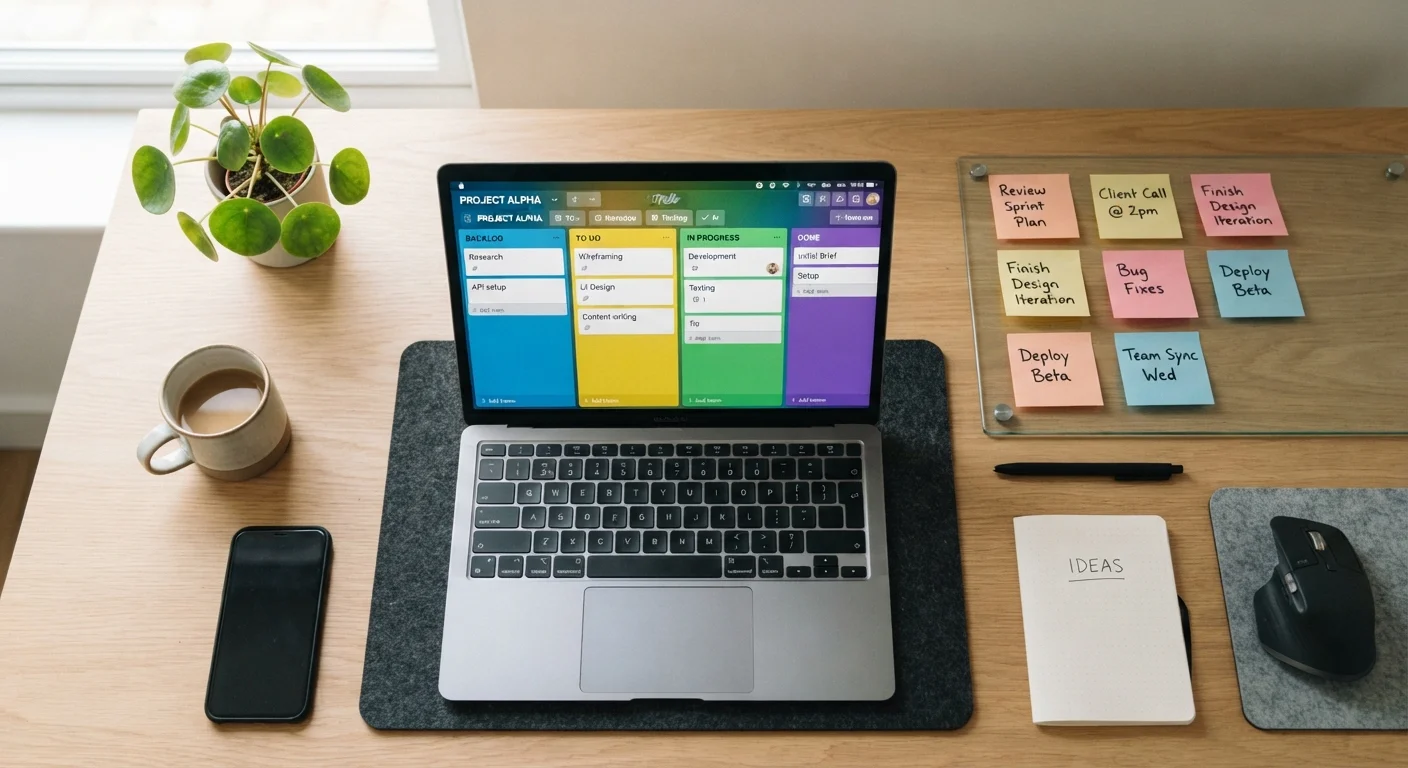
Popularized by software development teams, kanban boards organize tasks into columns representing stages — typically something like To Do, In Progress, and Done. This format is well-suited to work that has a visible workflow. It's less useful for personal task management where most items don't move through stages at all.
Hierarchical or outliner tools
These apps allow tasks to nest inside one another, supporting a structure like Project → Subtask → Sub-subtask. People who think in outlines and breakdowns often find this format clicks immediately. The risk is over-engineering: spending more time organizing tasks than completing them.
Hybrid tools
Some apps blend task capture with document or note features. These can be genuinely useful but also genuinely complex. If you find yourself using a task app alongside a separate notes app, a hybrid might consolidate your workflow — or it might create a new maintenance burden. Consider your actual usage patterns before switching.
| Flat To-Do List | Kanban Board | Outliner / Hierarchy | Hybrid Note+Task | |
|---|---|---|---|---|
| Best for | Solo daily task capture | Team workflow visibility | Complex project breakdown | Combined reference and tasks |
| Learning curve | Very low | Low to moderate | Moderate | Moderate to high |
| Collaboration support | Limited | Strong | Varies | Varies |
| Handles task relationships | Poorly | Moderately | Well | Moderately |
| Risk of over-engineering | Low | Low | High | High |
| Typical user profile | Individuals | Small to mid teams | Detail-oriented planners | Knowledge workers |
The Factors That Actually Determine Fit
Feature comparisons between apps can distract from the variables that most consistently predict whether someone sticks with a tool.
Test With Real Tasks Before Committing
Before settling on any task management app, run it with actual tasks from your current workload for at least a week — not a contrived test list. The goal is to see how the app handles your specific mix of urgent items, recurring tasks, and longer-horizon projects. Many tools offer free tiers that are sufficient for a genuine trial.
Capture friction: How many taps or clicks does it take to add a new task? Apps with high capture friction — where you need to assign a project, priority, and due date before saving — get abandoned. The fastest path from thought to recorded task usually wins.
Cross-platform availability: If you work on a laptop and check tasks on a phone, the app needs to work well on both. Some tools prioritize one platform and offer a compromised experience on others. This is worth testing before committing.
Collaboration model: Apps built for solo use often have awkward or limited sharing features. Apps built for teams sometimes impose a team-oriented structure that feels overly bureaucratic for individual use. Match the tool's primary design intent to your primary use case.
Learning curve vs. longevity: A more powerful tool may have a steeper setup cost but serve you better long-term. A simpler tool may get used today but hit its ceiling in six months. Be realistic about how much complexity your workflow actually demands — not how much you might theoretically need.
For those managing work across multiple devices, our piece on common mistakes with household device management is a useful companion read on keeping systems consistent across hardware.
When One App Isn't Enough — and When It's Too Many
A common temptation is to consolidate everything — tasks, notes, calendars, and communications — into a single app. Sometimes this works. Often it creates a tool that handles nothing particularly well.
A more practical heuristic: use dedicated tools for functions that you engage with differently. Tasks and calendar events have different rhythms from reference notes or saved links. Forcing them into one interface can blur the distinction and make each function harder to use.
Equally common is the opposite problem: too many overlapping tools. Running a to-do app, a project board, a notes app, and a calendar separately — without a clear boundary for what lives where — produces its own version of chaos. The digital tools overview for everyday use framework applies here: define what each tool is for before adding it to your stack, not after.
The simplest test for any task app is whether you check it voluntarily. If you're opening it only when you remember it exists, the tool isn't integrated into your actual workflow — regardless of its features. Start with the lightest-weight option that covers your real needs, and only add complexity when a genuine gap appears.