

Key Takeaways
- Budgeting apps, expense trackers, and savings tools each serve distinct financial management needs.
- Connecting apps to bank accounts speeds up tracking but introduces privacy and security trade-offs.
- The most effective tool is one that matches your existing habits and financial goals.
- Data security, privacy policies, and account permissions are worth reviewing before linking any app.
- Digital tools work best when paired with consistent human review — they inform decisions, not replace them.
Why Digital Tools Have Changed Everyday Money Management
For most of personal finance history, managing money meant spreadsheets, paper ledgers, or mental arithmetic at the end of the month. Today, a wide range of apps can automatically categorise purchases, flag unusual spending, and project future balances — often within seconds of a transaction occurring.
That shift matters because awareness is foundational to good financial behaviour. As our introduction to personal budgeting explains, understanding where money goes is the first step toward deciding where it should go. Digital tools lower the friction of that awareness considerably.
This overview covers the main categories of money management apps and what to look for in each — without recommending specific products or implying any particular tool is right for your situation.
A Note on Privacy and Account Access
Many financial apps request access to banking credentials or use data aggregation services to pull in account information. Before connecting any account, review the app's privacy policy to understand how credentials are stored, whether data is sold to third parties, and what happens to your information if you close the account. No app feature is worth an unacceptable privacy trade-off — read the terms carefully and consider using read-only connection modes where available.
Below is a look at the core categories of digital financial tools and the features that distinguish useful options from the rest.
Expense Tracking Apps
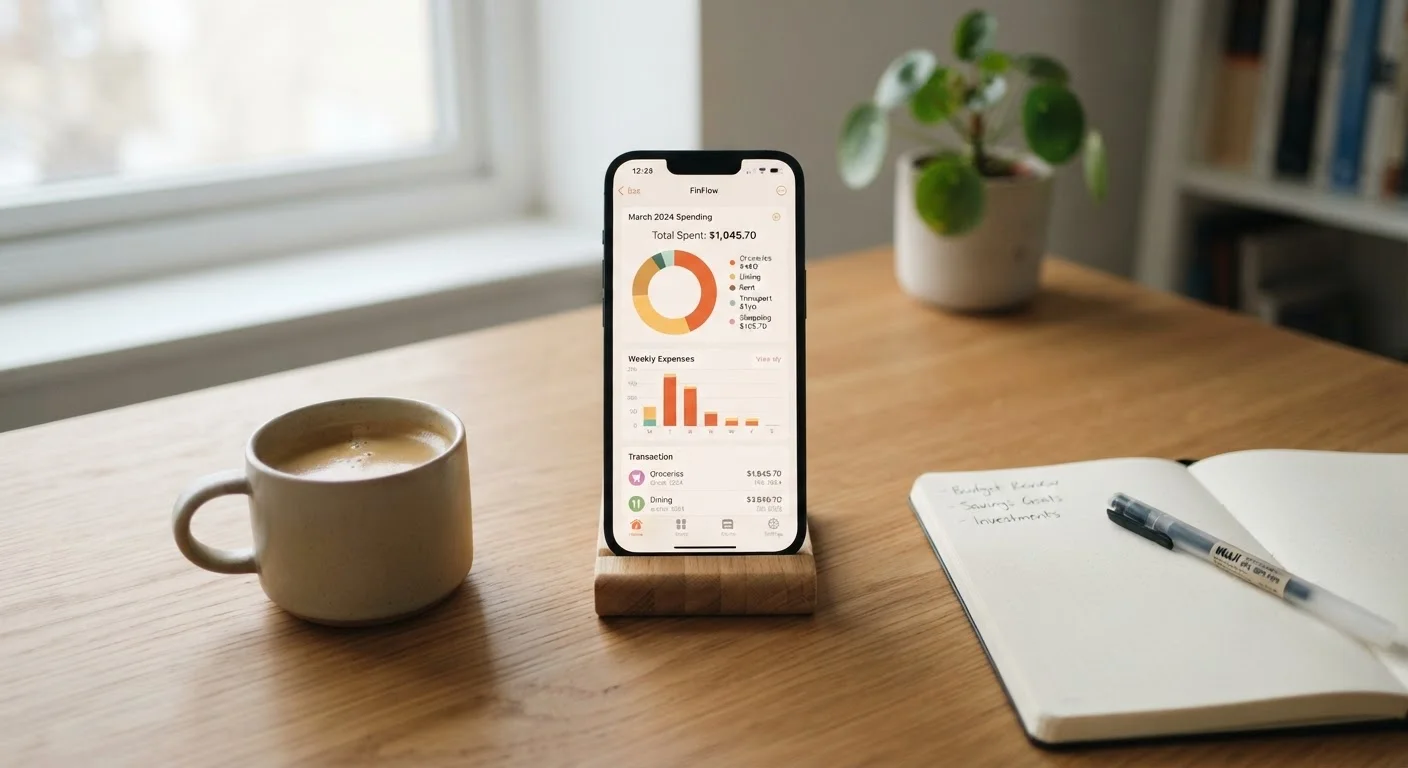
Expense trackers record where money is spent — often by connecting directly to bank accounts and credit cards to import transactions automatically. Some also allow manual entry for cash spending.
What distinguishes a useful tracker:
- Automatic categorisation with the ability to correct or customise categories
- Clear transaction history across multiple accounts in one view
- Export options (CSV or PDF) for deeper review
- Transparent data privacy policies explaining how your banking credentials are stored and used
Expense trackers are the foundation of financial awareness. If you find manual logging more comfortable than connecting bank accounts, our piece on tracking spending without obsessing over every penny offers lower-friction alternatives.
Automatic categorisation only works if you periodically review and correct the categories it assigns.
Budgeting Apps
Where expense trackers record the past, budgeting apps are oriented toward the future. They allow users to set spending limits per category, compare actual spending against those limits in real time, and adjust allocations month to month.
Features worth evaluating:
- Flexible budgeting methods — some apps use envelope-style zero-based budgeting, others use percentage-based frameworks
- Rollover functionality (do unused funds carry forward?)
- Alert systems for when a category approaches its limit
- Multi-device sync if more than one person manages the household
A robust budgeting app reinforces the habits described in our article on keeping a budget working long-term. The digital layer adds accountability, but the underlying discipline remains a human responsibility.
A budgeting app is only as accurate as the spending limits you set — garbage in, garbage out.
Net Worth and Financial Dashboard Tools
These tools aggregate all financial accounts — checking, savings, investments, loans, and sometimes property estimates — into a single dashboard showing overall net worth and how it changes over time.
Key considerations:
- Investment and retirement account integration (read carefully what data is accessed and stored)
- Debt tracking alongside assets for a complete picture
- Historical net worth charts to observe trends rather than fixate on daily fluctuations
Dashboard tools are particularly useful for people with multiple accounts across different institutions. They don't replace account-specific management, but they provide context — especially valuable during a monthly budget review.
Net worth tools reveal the full financial picture — both what you own and what you owe.
Savings Goal Apps
Savings goal tools help users set specific targets — an emergency fund, a holiday, a down payment — and track progress toward each. Some connect to bank accounts and facilitate scheduled transfers; others are tracking-only.
What to look for:
- Named or labelled sub-goals so saving feels purposeful rather than abstract
- Progress visualisations that maintain motivation
- Flexibility to pause or adjust goals without penalty
- Clear separation between savings buckets if managing multiple goals simultaneously
Many savings apps include automation features. Before enabling automatic transfers, it is worth understanding the risks involved — our article on automating money transfers walks through both the convenience and the cautions.
Named savings goals consistently outperform generic saving because the purpose stays visible.
Subscription and Bill Tracking Tools
With recurring charges scattered across streaming services, utilities, software subscriptions, and memberships, many people lose track of what they are actually paying each month. Subscription tracking tools identify and list these recurring charges, often surfacing forgotten or unused services.
Useful features:
- Automatic detection of recurring charges from connected accounts
- Renewal date reminders to prompt timely cancellation decisions
- Monthly recurring cost totals — a number many find surprising
- Categorisation between essential bills (rent, utilities) and discretionary subscriptions
Subscription tracking pairs well with broader expense tracking. Knowing total recurring commitments each month is essential when building any spending plan — particularly if you are starting from scratch with a comprehensive budgeting approach.
Most people underestimate their monthly subscription costs by a significant margin until they see the full list.
Getting the Most From Any Financial App
Technology is only as useful as the habits built around it. An app that sends weekly summaries goes unread if you never open it. Our article on consistent money habits makes clear that even the smartest tool requires regular, intentional engagement to move the needle on financial wellbeing.
Start With One Tool, Not Five
It is tempting to install several apps at once to cover every financial angle. In practice, managing multiple tools creates its own overhead and can lead to conflicting data or redundant effort. Choose one tool that addresses your most immediate gap and build familiarity with it before expanding your digital toolkit.
A practical starting point: pick one category from the list above that addresses your most pressing gap — whether that's knowing where money goes, staying within a budget, or building a savings buffer — and use a single tool in that category for at least 60 days before evaluating whether to add more. Layering too many apps quickly creates its own kind of noise.
For couples or households sharing finances, some apps include collaborative features. Our guide to managing money as a couple covers the broader structures to consider before choosing a shared tool. And if automation appeals to you, review the trade-offs of automated money transfers before setting up recurring rules.
This article is for general informational and educational purposes only and does not constitute personalised financial advice. Consult a qualified financial professional for guidance tailored to your individual circumstances.