
Wireless Earbuds Explained: What's Actually Happening Inside Those Tiny Cases

Key Takeaways
- Wireless earbuds use Bluetooth radio signals to receive audio from your phone or computer.
- Each earbud contains a miniature driver (speaker), battery, microphone, and processor chip.
- The charging case acts as a portable power bank, replenishing earbud batteries multiple times per charge.
- Active Noise Cancellation (ANC) uses microphones and real-time processing to reduce background sound.
- Audio codecs determine how sound data is compressed and transmitted, affecting perceived quality.
- Battery life is short by design — the tiny cell size is a fundamental physical constraint.
Wireless Earbuds
Wireless earbuds are small audio devices that sit in or around the ear and play sound without a physical cable connecting them to your phone or other device. They communicate using short-range radio signals — most commonly Bluetooth — and contain their own tiny batteries, microphones, and speakers. The compact case they ship with serves a dual purpose: storing the earbuds safely and recharging their batteries between uses.
Most consumer wireless earbuds use Bluetooth 5.0 or later, which offers lower power consumption, stronger signal stability, and greater range than earlier versions of the standard.
How Sound Gets from Your Phone to Your Ear
When you press play on your phone, the audio file is processed by a small onboard chip and converted into a Bluetooth radio signal. That signal travels through the air — typically up to around 30 feet in open space — and is picked up by an antenna inside each earbud. A tiny processor in the earbud decodes the signal and sends it to the driver, the miniature speaker that converts electrical impulses into the sound waves your ear actually hears.
The standard that makes all of this possible is Bluetooth, a short-range radio protocol originally designed for cable replacement. For a deeper look at the terminology printed on gadget packaging, the gadget owner's glossary covers Bluetooth and dozens of other common specs in plain language.
Sound quality in this chain depends heavily on the codec — the algorithm used to compress audio before transmission and decompress it on arrival. Common codecs include SBC (the universal baseline), AAC (favored by Apple devices), and aptX (common on Android). Higher-quality codecs preserve more audio detail but require both the phone and the earbuds to support the same standard.
~30 ft
Typical Bluetooth range in open space
Bluetooth 5.0 and later specifications support ranges up to around 30 feet in typical real-world conditions, though walls and interference reduce this.
2.4 GHz
Frequency band Bluetooth operates in
This is the same band used by many Wi-Fi networks and microwave ovens, which is why interference in dense environments can occur.
4–8 hrs
Typical earbud battery life per charge
Active Noise Cancellation, higher volume, and call use can reduce this figure, while disabling ANC generally extends it.
What's Actually Inside Each Earbud
Despite their size, each earbud is a self-contained electronic device. The core components packed into that small shell include:
- Driver: The speaker unit, ranging roughly from 6mm to 14mm in diameter. Larger drivers can move more air and generally reproduce bass frequencies more effectively.
- Battery: A lithium-ion cell, usually delivering between 4 and 8 hours of playback per charge depending on volume and feature use.
- Microphone array: One or more small microphones handle voice calls and, in earbuds with Active Noise Cancellation (ANC), constantly sample surrounding sound.
- System-on-chip (SoC): A compact processor that manages Bluetooth communication, audio decoding, touch controls, and ANC processing simultaneously.
Active Noise Cancellation deserves its own explanation. ANC microphones capture ambient sound — the hum of an airplane engine, for example — and the processor generates an inverted audio wave that effectively cancels out that noise before it reaches the driver. This happens in milliseconds, continuously. It is computationally intensive, which is a key reason ANC shortens battery life noticeably.
Extend Your Earbud Battery Life
Turning off Active Noise Cancellation when you don't strictly need it is one of the most effective ways to stretch per-charge listening time. Keeping volume at moderate levels also reduces power draw significantly. Storing earbuds in the case between sessions ensures they stay topped up rather than slowly self-discharging.
The Charging Case: More Than Just a Holder
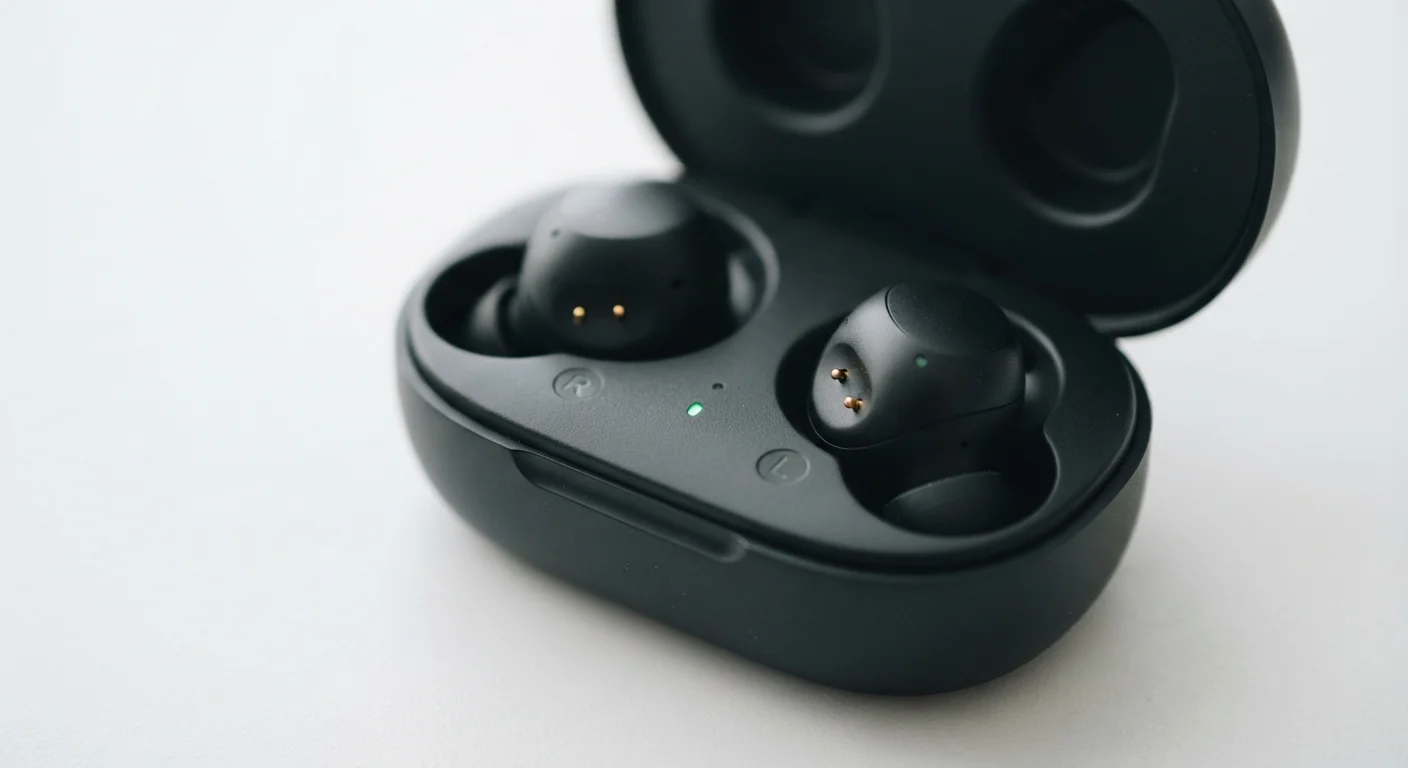
The case most wireless earbuds ship with is often treated as an afterthought, but it is an engineering component in its own right. Inside the case sits a battery — typically much larger than the ones in the earbuds themselves — along with charging contacts that align with matching pins on each earbud when the lid closes.
Most cases deliver between two and four full recharges of the earbuds, extending total listening time from the earbud-only figure of 4–8 hours to a combined 20–36 hours or more. The case itself recharges via a USB-C cable or, in some designs, wirelessly through inductive charging. If you're weighing the trade-offs between cable and wireless charging for any of your devices, the wired vs. wireless charging explainer lays out the practical differences clearly.
When an earbud sits in the case, contact is made with the charging pins and current flows from the case battery into the earbud's lithium-ion cell. A small circuit board inside the case manages this process, preventing overcharging.
Codec Compatibility Depends on Both Devices
A higher-quality codec like aptX or LDAC only activates if both your phone and your earbuds support it. If your phone doesn't include that codec, the connection automatically falls back to SBC — the universal standard. Checking your phone's audio developer settings (on Android) can confirm which codec is actually in use during playback.
Pairing, Connection, and What Happens When It Drops
The first time you open a new set of earbuds near your phone, they typically enter pairing mode automatically — broadcasting a Bluetooth signal that says, in effect, "I'm here and ready to connect." Your phone discovers that signal and, once you confirm the connection, stores the earbud's unique identifier. Future connections happen automatically without repeating this step.
Dropouts and interference occur when competing radio signals crowd the same frequency band. Bluetooth operates in the 2.4 GHz range, shared by Wi-Fi, microwaves, and other wireless devices. Newer Bluetooth versions handle congestion better through faster frequency-hopping — rapidly switching between channels to avoid interference — but crowded environments like airports or open-plan offices can still cause occasional hiccups. For context on how radio-based connections create broader privacy considerations, the article on public Wi-Fi risks explains how shared wireless environments work in everyday settings.
When both earbuds are in your ears, one typically acts as the primary earbud — maintaining the Bluetooth link with your phone — and relays audio to the secondary earbud via a separate short-range signal. This is why removing one earbud sometimes triggers an automatic pause.